Right mouse click on a layer and select Layer Properties. Click the Modify Structure button in the layer properties form. Click Add Field.
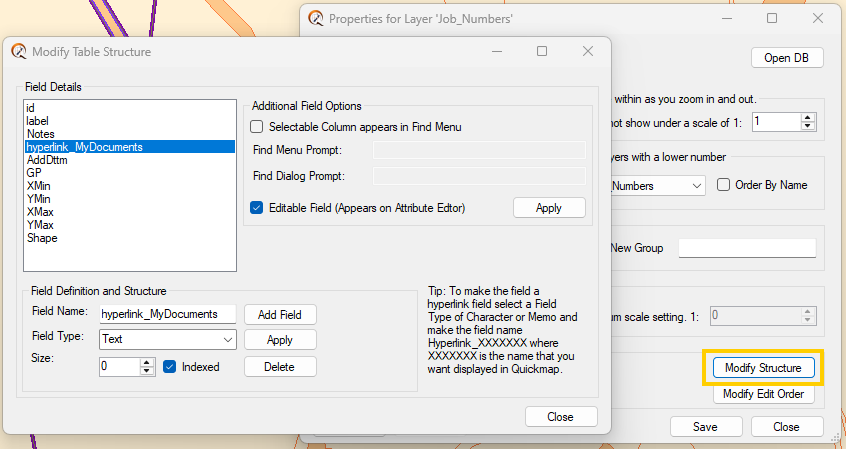
• Type in the Field Name
• Set the Field Type
• Set the Size then click Apply
For Custom Searches
Tick the Box to enable the field to be Searched on in the Find dropdown menu and complete the Prompts
To allow editing of this new field tick the Editable Field check box, then click the Apply button.
Please like this page: