Generating a Sales by Road Report in Quickmap SalesView
Quickmap SalesView allows you to generate a Sales by Road Report to analyse property sales along specific streets. There are two methods to access this information:
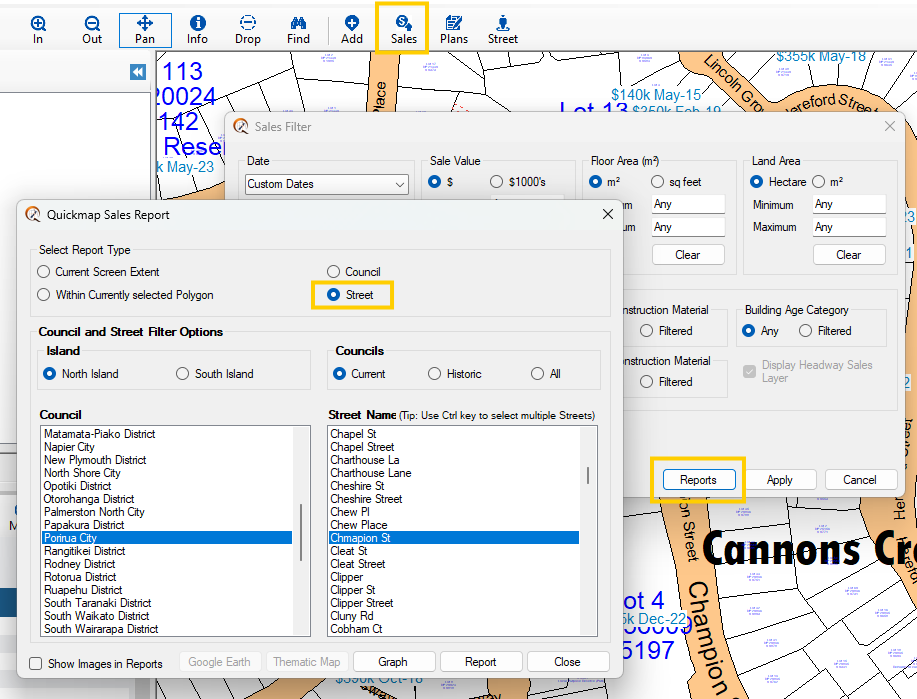
Method 1: Using the Street Reporter
- Open the Sales Filter form.
- Click Reports.
- Select Report Type = Street.
- Select street(s) and then report
This will generate a Sales by Road Report for the streets you are interested in.
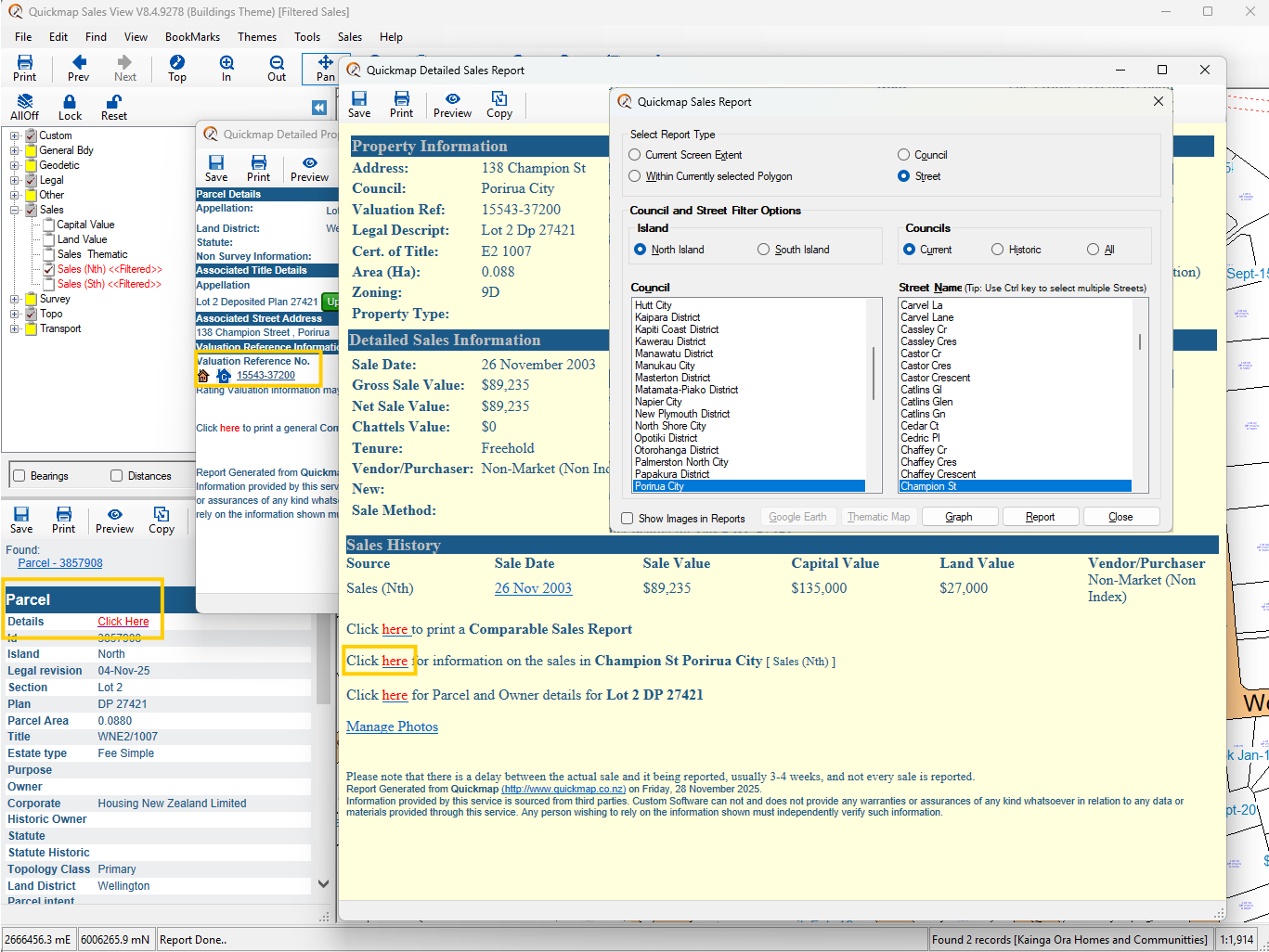
Method 2: Using the Detailed Sales Report
- Open the Quickmap Detailed Property Report.
- Click the Valuation Reference Number of the property.
- In the Quickmap Detailed Sales Report, click Click Here for more information on the sales for the relevant street.
This method allows you to view detailed sales data directly from individual properties and explore sales trends on specific streets.
Please like this page: