Sales Thematic Map
Quickmap allows you to colour parcels based on sale price, making it easy to identify trends and areas of interest on the map.
How to create a Sales Thematic Map
- Click the Sales button on the toolbar.
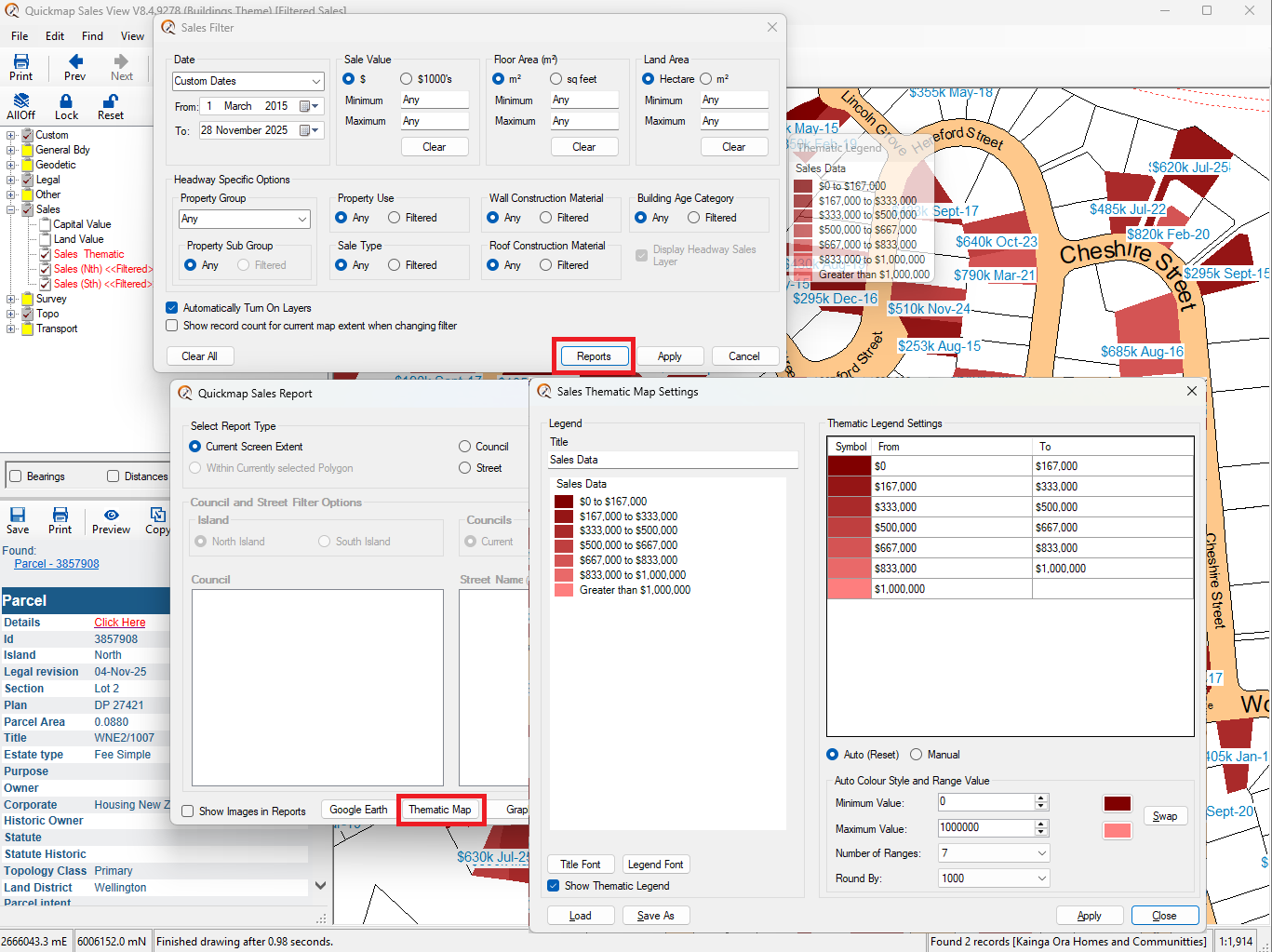
- In the Sales Filter form, click Reports and select Thematic Map.
- In the Sales Thematic Map Settings form, adjust the Sale Value range, number of steps, and range values.
- Click Apply to generate the thematic map.
Highlighting specific property values
To highlight properties within a specific value range, assign a unique colour to that range (for example, green).
- Click the Manual button in the Thematic Map settings.
- Select the colour to apply to the chosen sale value range.
Moving the legend
If the legend is covering part of the map, click and drag the legend title bar to reposition it.
Please like this page: