To run Quickmap off the Start button on your computer, select Programs > Quickmap > Quickmap.
Quickmap data is organised into a series of Layers that can be turned on and off using the Layer Visibility check box within the Layer Control Panel.
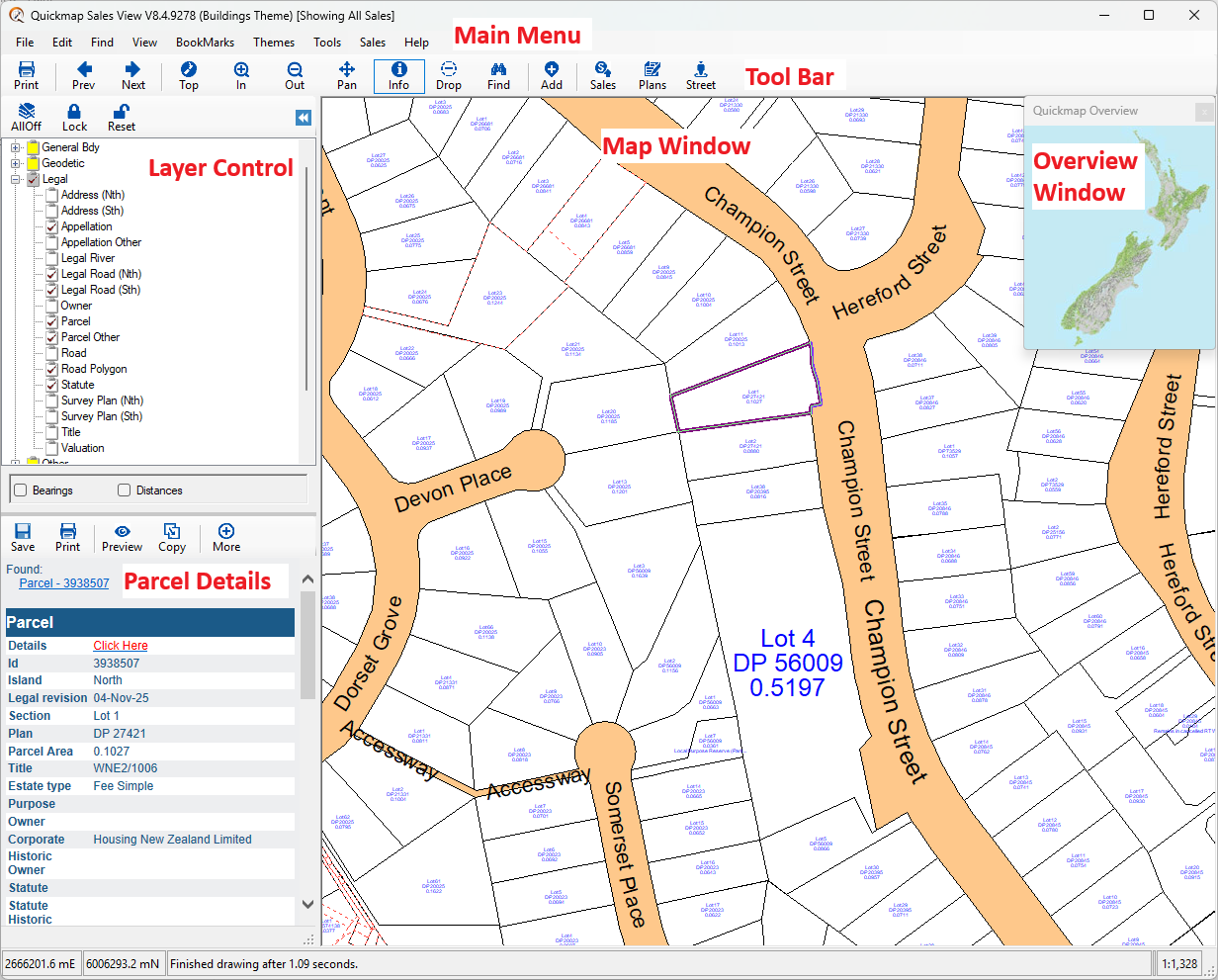
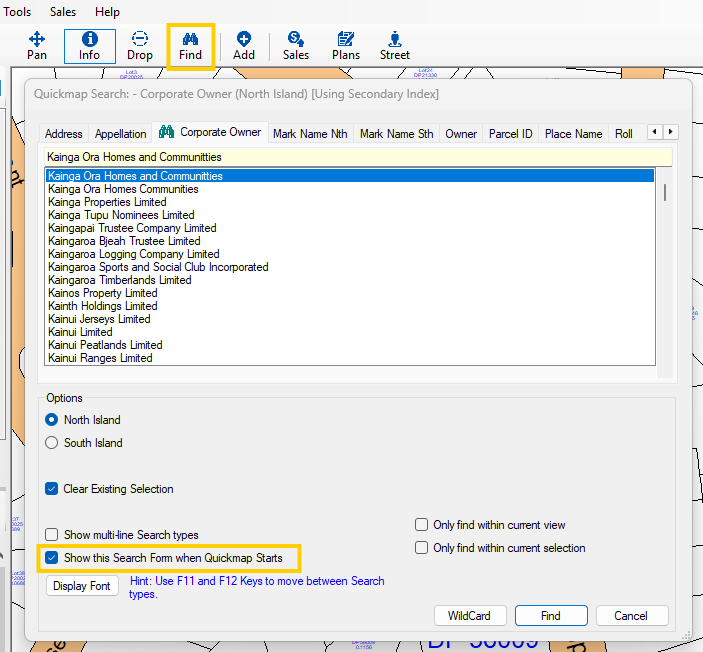
If the Search form is not displayed automatically (set by a checkbox on that form) then use the Find tool (or CTRL/F) and type in the Address.
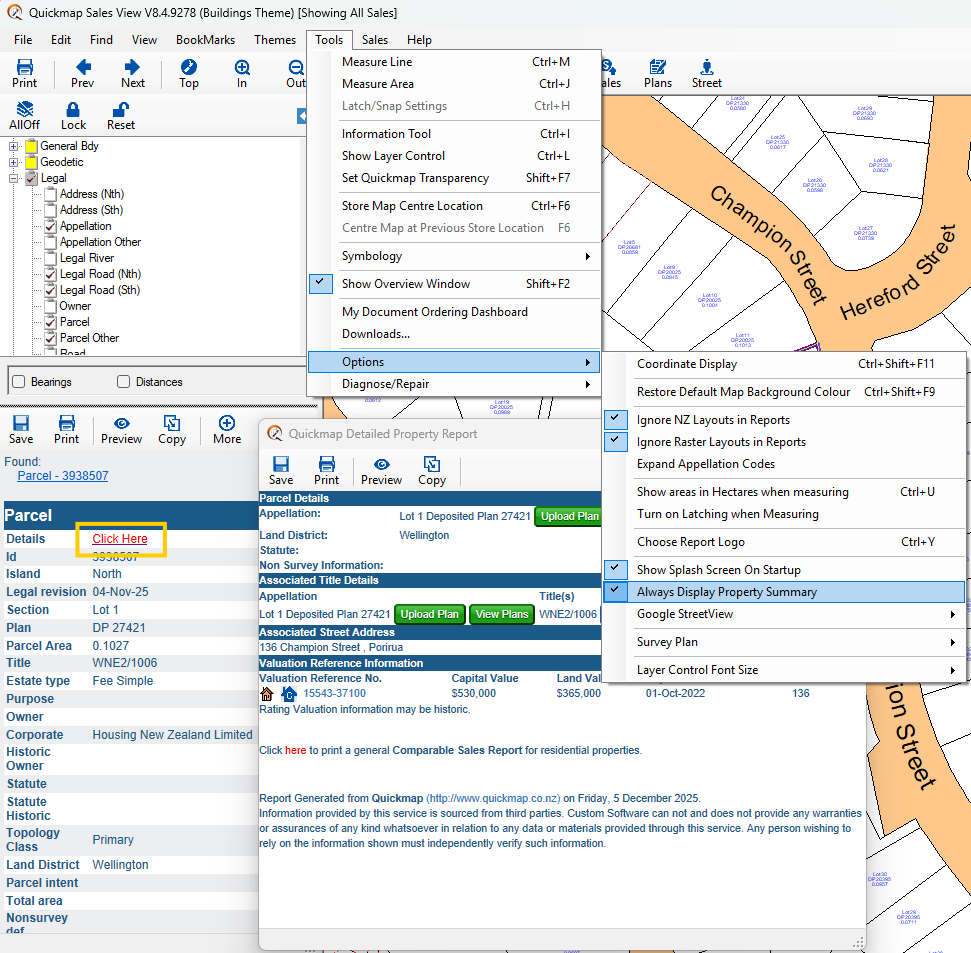
The Detailed Property Report window (by default) displays automatically when you search. NOTE: If the report is not displayed automatically, click on Tools->Options->Always Display Property Summary.
To open the Quickmap Detailed Property Report click on the Click Here hyperlink next to the Parcel details
Watch the short video below to get started with the basics.
See these Quick Links to perform commonly required functionality within Quickmap.